Expiry on every batch
Each batch is entered with the month and year on the pack. The batch counts as good until the end of that month.
- Expiry as MM/YY, as on the pack
- Several batches of one product side by side
- Read straight from the supplier’s bill
Medicine expiry management
Expired medicine is lost money and a risk at the counter. MedBox24 watches every batch’s expiry and keeps an expired strip from ever reaching a bill.
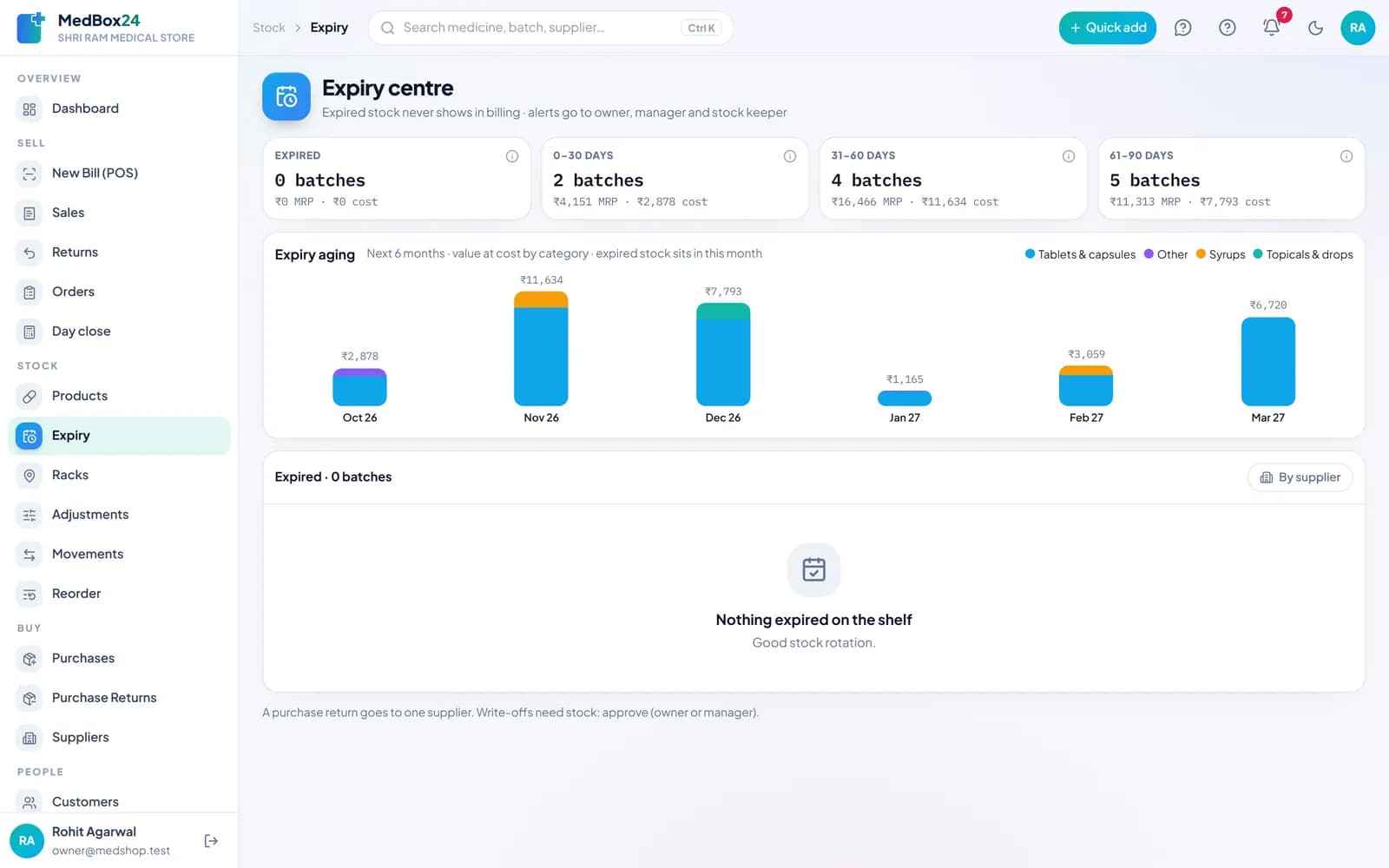
A real MedBox24 screen
Each batch is entered with the month and year on the pack. The batch counts as good until the end of that month.
At billing, the batch that expires first is picked for you. Expired batches do not show in billing, so they cannot reach a bill.
The expiry centre and the dashboard show what runs out in 30, 60 and 90 days, and alerts go to the owner, manager and stock keeper.
Send near-expiry stock back to the supplier as a purchase return, or write expired stock off with a reason — with approval from the owner or manager.
Each list shows the value of the stock at cost and at MRP, so you know what to push, return or discount first.
Expired batches do not show in billing, so they cannot be sold. The next good batch is used instead.
You see batches that expire within 30, 60 and 90 days on the expiry centre and the dashboard, every day.
Yes. Make a purchase return from the expiry list; it goes to the supplier you bought from.
Yes. Mark them as having no expiry and they are never asked for one.
Try MedBox24 at your counter — free
No card needed. Your first bill the same day.