Barcode billing for pharmacy

Barcode billing for medical stores — scan, and it is on the bill

Plug in a barcode scanner and scan. The medicine goes straight onto the bill, wherever the cursor is — no typing, no clicking a search box first. No scanner? The phone or laptop camera does the same.

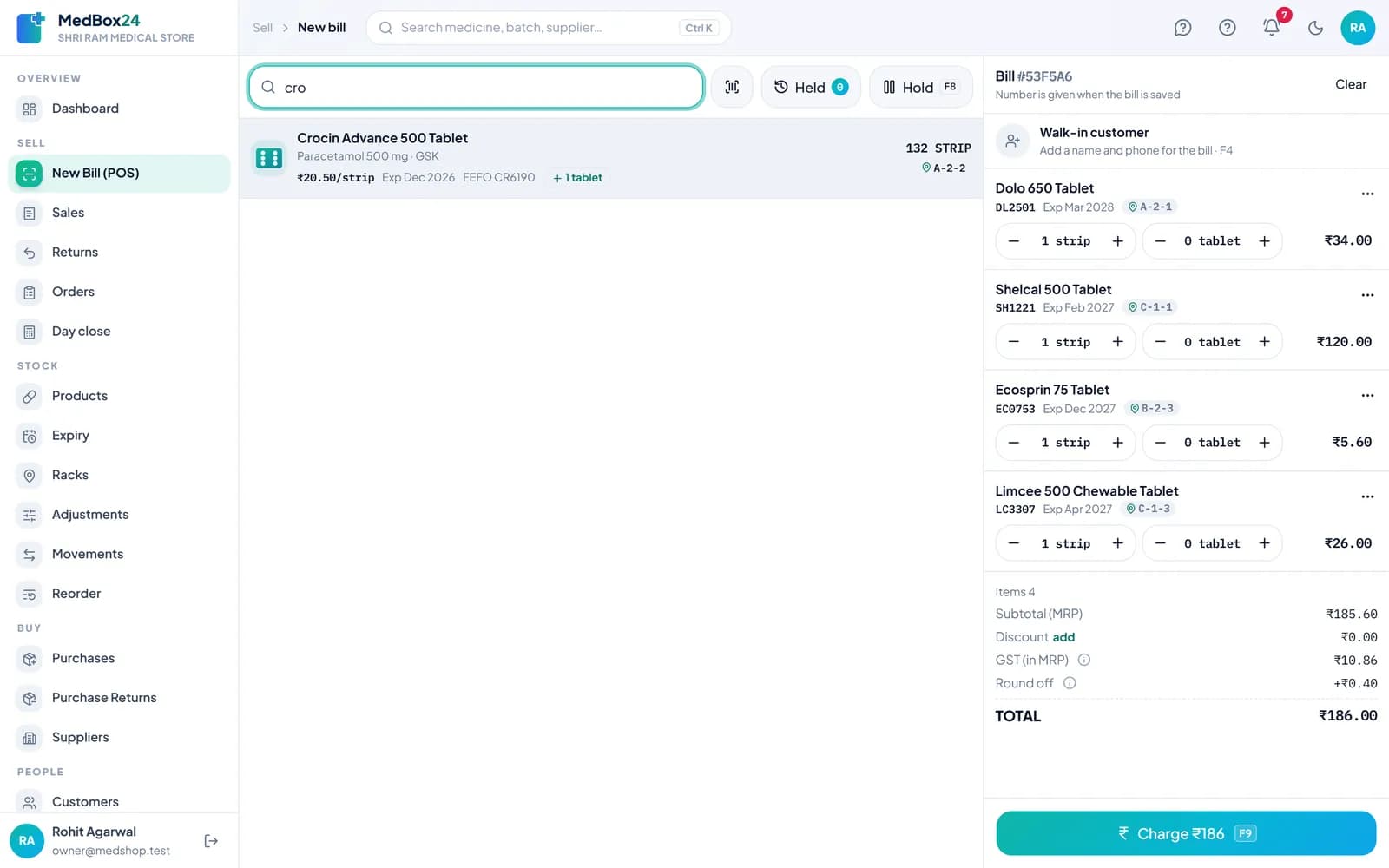
MedBox24 billing screen with medicines added to the bill and the total with GST

A real MedBox24 screen

Any scanner that types like a keyboard

USB and Bluetooth scanners work with no setup in MedBox24. The app recognises the speed of a scan, so a code never lands in a quantity or price box by mistake.

  • USB or Bluetooth (keyboard mode)
  • Works wherever the cursor is on the billing screen
  • A test card in Settings tells you if the scanner is set right

A new pack is learnt once

When a barcode is not on any medicine yet, MedBox24 asks once which medicine it is. From the next scan it goes straight onto the bill.

  • Pick the medicine once, done
  • Or add it as a new product from there
  • Up to ten barcodes on one medicine — strip, box, new pack

The camera as a scanner

On a phone, use the back camera; on a laptop, the webcam. The camera keeps scanning one item after another, beeps for each, and warns you when it is too weak or nothing reads.

  • Phone back camera or laptop webcam
  • Flash button on phones
  • A list of what was added while you scan

Still the right batch and price

A scan adds the medicine; MedBox24 still picks the batch that expires first, works out GST and keeps stock right — the same as a bill made by search.

  • First-expiry-first-out batch
  • GST and discount on every line
  • Stock updated as soon as the bill is saved

Questions

Which barcode scanner should I buy?

Any scanner that works as a keyboard (USB or Bluetooth HID) and sends Enter after the code. A 2D scanner also reads QR codes; a Bluetooth one also pairs with a phone or tablet.

Do all medicines have barcodes?

Most branded packs do, but not all, and a strip and its box can carry different codes. MedBox24 lets one medicine keep several barcodes, and you can always search by name.

Can I use the phone camera instead?

Yes. Open a new bill and tap the camera button. Hold the pack 15–20 cm from the back camera in good light.

Is barcode billing in every plan?

Yes — scanning is part of billing in every plan and in the free trial.